Buying a stock on Robinhood is a handful of steps once your account is funded. The part people get stuck on is everything around those taps: dollars or shares, market or limit, and what happens if you buy after the market closes. I walked through the buy screen in my own Robinhood account to show you each step.
If you’ve never placed a trade before, the SEC’s investor site has a short guide to the types of orders you’ll see on the buy screen. Read it before your first order.

Get a FREE stock worth up to $200 the moment you fund a new account with just $10, plus up to $15,000 more per year in free stock when you refer friends. U.S. residents only.
- U.S. stocks, ETFs, options, and cryptos, all commission-free
- Excellent for beginners and advanced investors
- Cash management account and credit card
- Upgrade to Gold for better rates on cash, margin, and a 3% IRA contribution match
- SIPC protected up to $500,000, plus FDIC coverage on uninvested cash
- Connect your favorite AI agent directly to your account and let it research, monitor, and trade for you with a dedicated funded account and a one-tap kill switch you control
- Predictive Markets: Trade real-time "Yes/No" event contracts on sports, politics, weather, and finance. Put your read on the world to work, with instant settlement when the outcome hits
About that gift stock: Robinhood gives new customers stock worth anywhere from $5 to $200, and about 99% of customers get $5 (as of October 26, 2026). You get it once you’re approved and link a bank account or debit card.
Open and Fund Your Robinhood Account, Then Pick Your Gift Stock
Before you buy: open and fund your account
You can’t buy anything until there’s money in the account. Here’s the order of things:
- Open an individual brokerage account. The gift stock only applies to your first taxable, self-directed individual account.
- Get approved. Robinhood reviews the application before you can trade.
- Link a bank account or debit card. That’s what unlocks the gift stock.
- Deposit money. Your buying power is what you can spend on the buy screen.
The gift stock comes from a list of 26 large companies Robinhood picks. You can sell it 3 trading days after you claim it, but the cash value has to stay in your account for 60 days before you can withdraw it.
How to buy stocks on Robinhood, step by step
These are Robinhood’s own steps for the app. The web version is the same idea with a Buy panel on the right.
- Search for the stock and open its detail page.
- Tap Trade, then Buy. If you don’t own any yet, you’ll just see Buy.
- Enter an amount. Robinhood asks for dollars by default. Tap Dollars to switch to Shares or another order type.
- Review the order. Check the amount, the order type and the estimated quantity. Tap Edit if anything’s off.
- Swipe up to submit. On the web, you select Buy instead.
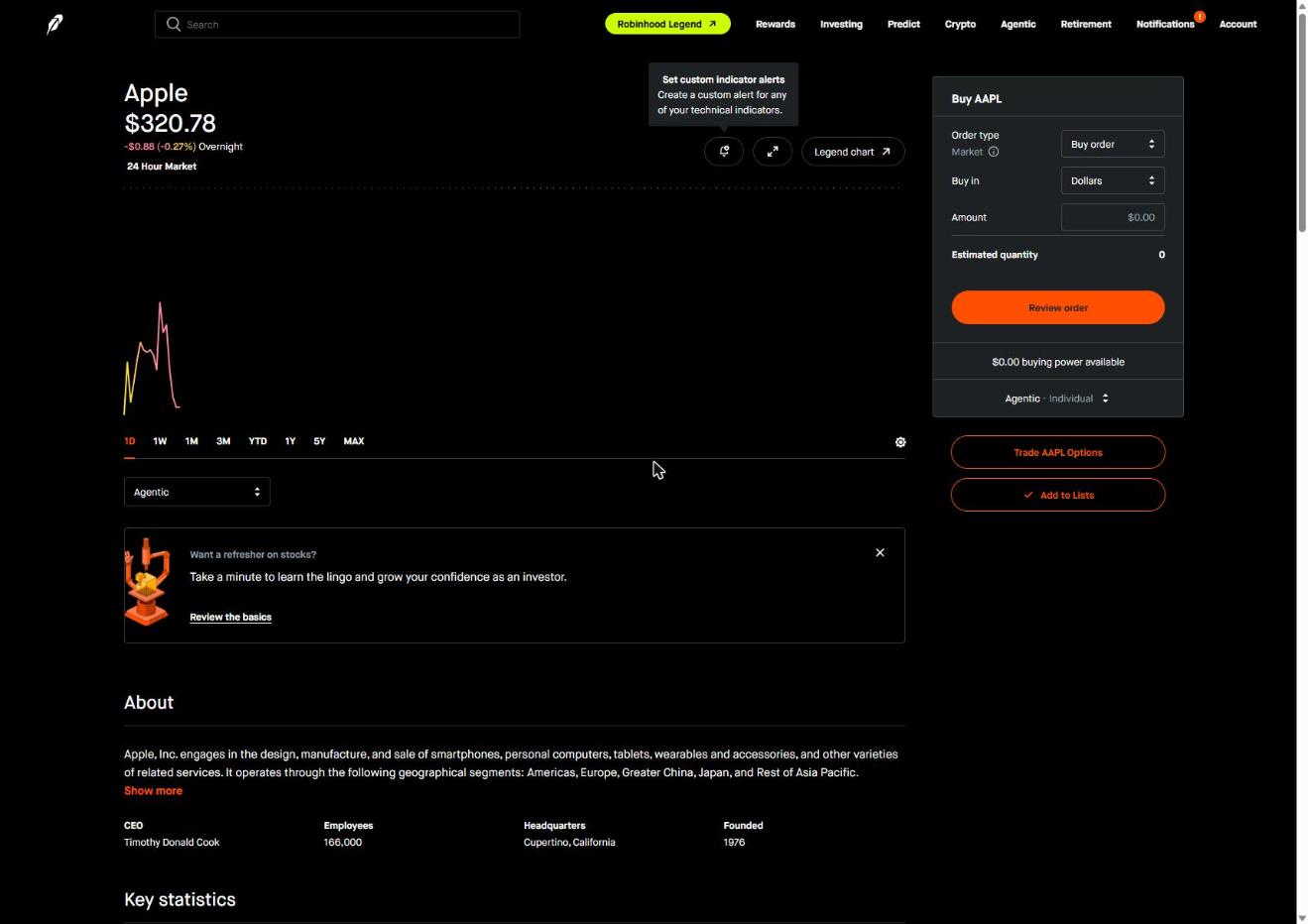
Here’s what the Buy panel looked like in my account. Order type was set to a market buy, Buy in was set to Dollars, and there was an Amount box and an Estimated quantity line above the Review order button. It shows $0.00 buying power because I haven’t funded this account. Yours will show your deposit.
Dollars or shares?
You can buy by dollar amount or by number of shares. Buying in dollars is how you get a fraction of a share, which helps when one share costs more than you want to put in.
- The minimum for a fractional order is $1
- Robinhood’s own example: put $10 into a stock that costs $100 a share and you get 0.1 shares
- Fractional shares work on stocks listed on exchanges like the Nasdaq and NYSE, not on over-the-counter (OTC) stocks
Market order or limit order?
A market order buys at the current market price. A limit order only fills at the price you set or better, and it isn’t guaranteed to fill at all. Robinhood picks the default for you based on the time of day:
| When you place the order | Hours (ET) | How Robinhood enters a default buy |
|---|---|---|
| Regular market hours | 9:30 AM to 4 PM | Market order |
| Extended hours | 7 to 9:30 AM and 4 to 8 PM | Limit order with a preset limit price |
| Outside both | Overnight and weekends | Queued for the next open (some stocks can trade in the 24 Hour Market) |
One thing to know: the last-traded price on the screen won’t necessarily be the price you pay. Prices move between the moment you look and the moment your order fills. If the exact price matters to you, use a limit order.
Read the stock page before you buy
Each stock’s detail page has more than the chart. Scroll down and you’ll find key statistics like market cap, price-earnings ratio, dividend yield and the 52-week high and low, plus a news feed and related lists.
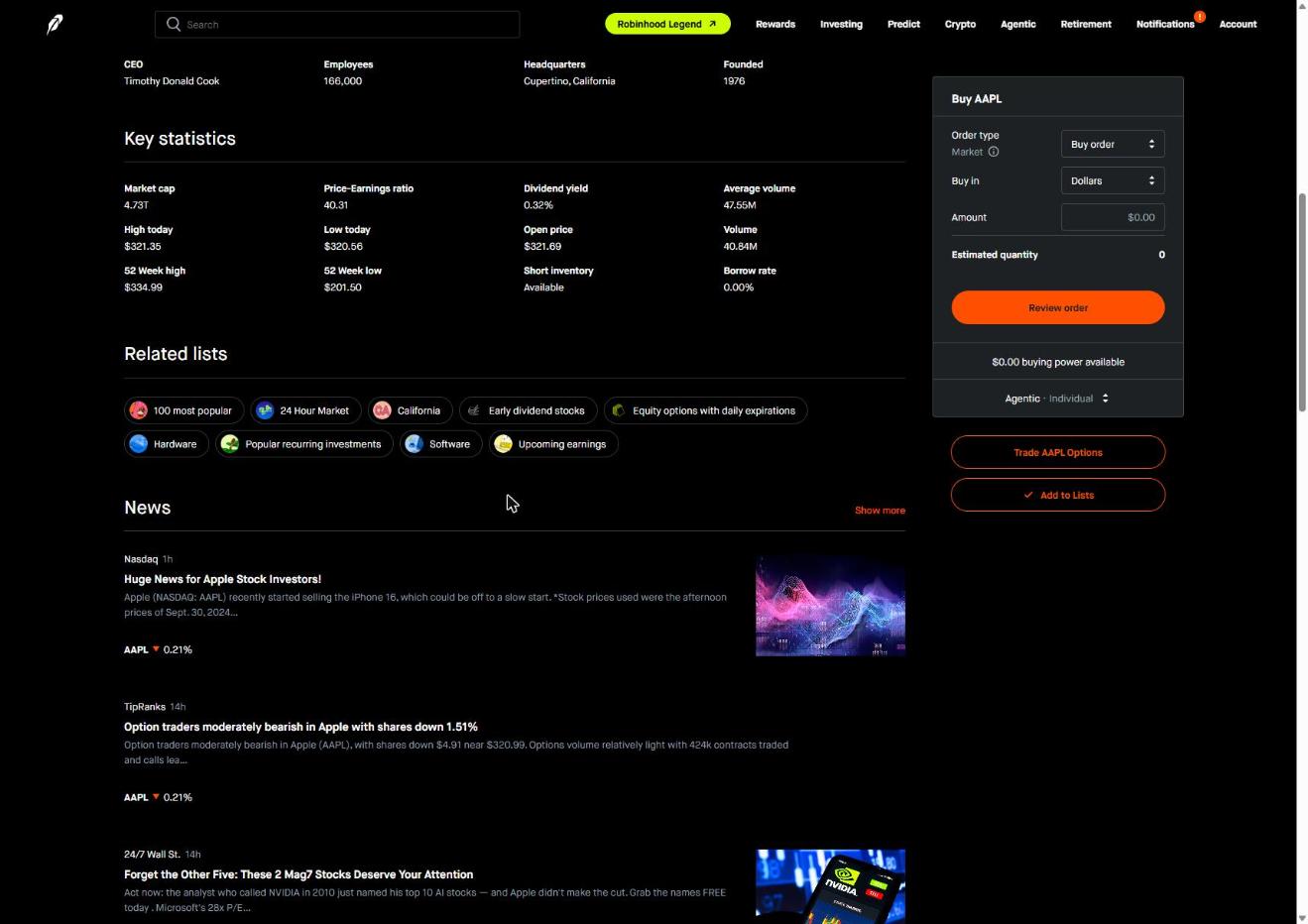
None of that tells you what to buy. It tells you what you’re looking at.
Fund Your Robinhood Account and Place Your First Trade
Other ways to buy on Robinhood
Once the basics click, Robinhood has a few other ways in:
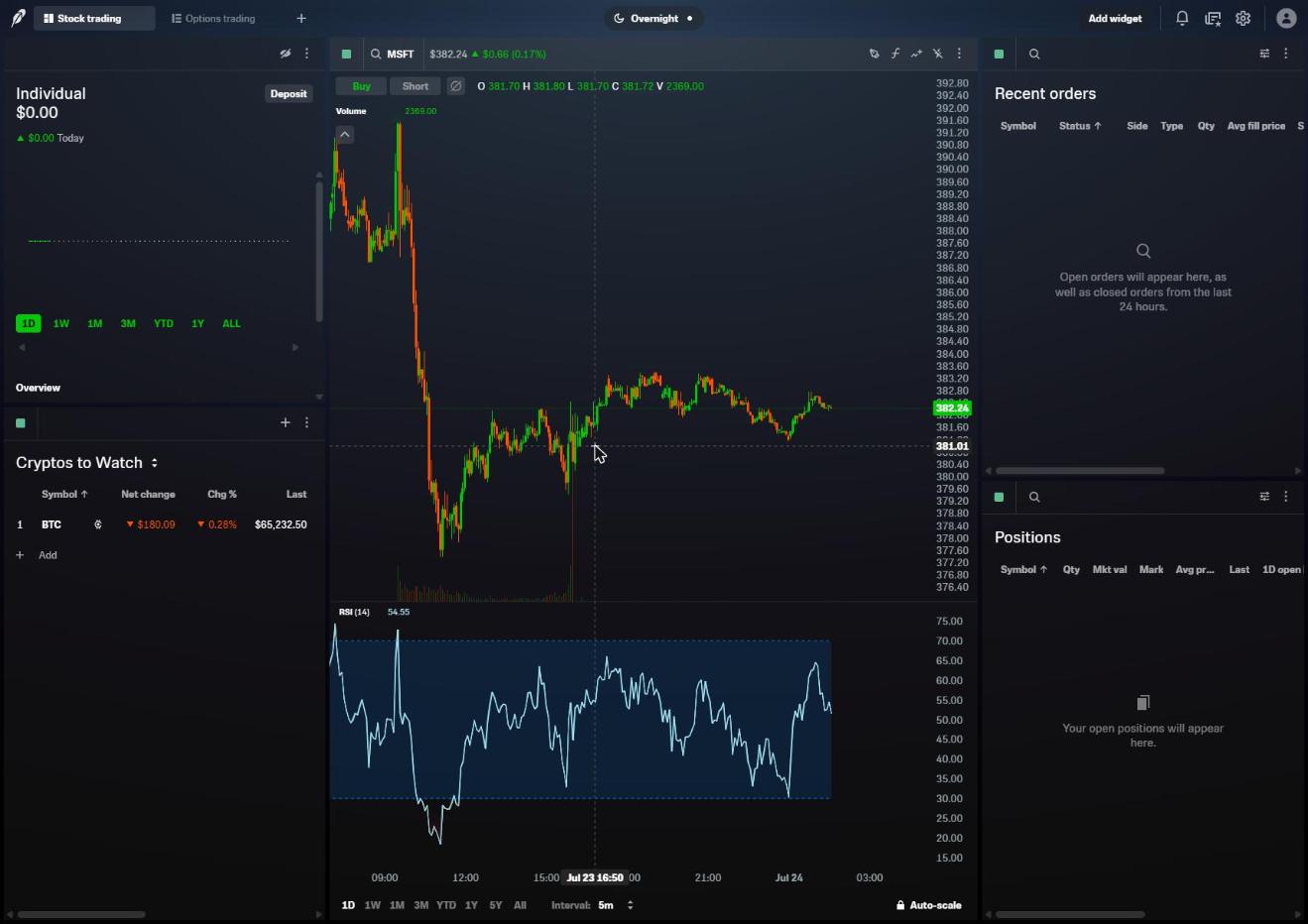
- Robinhood Legend is its desktop trading platform, with charts, indicators and watchlists on one screen.
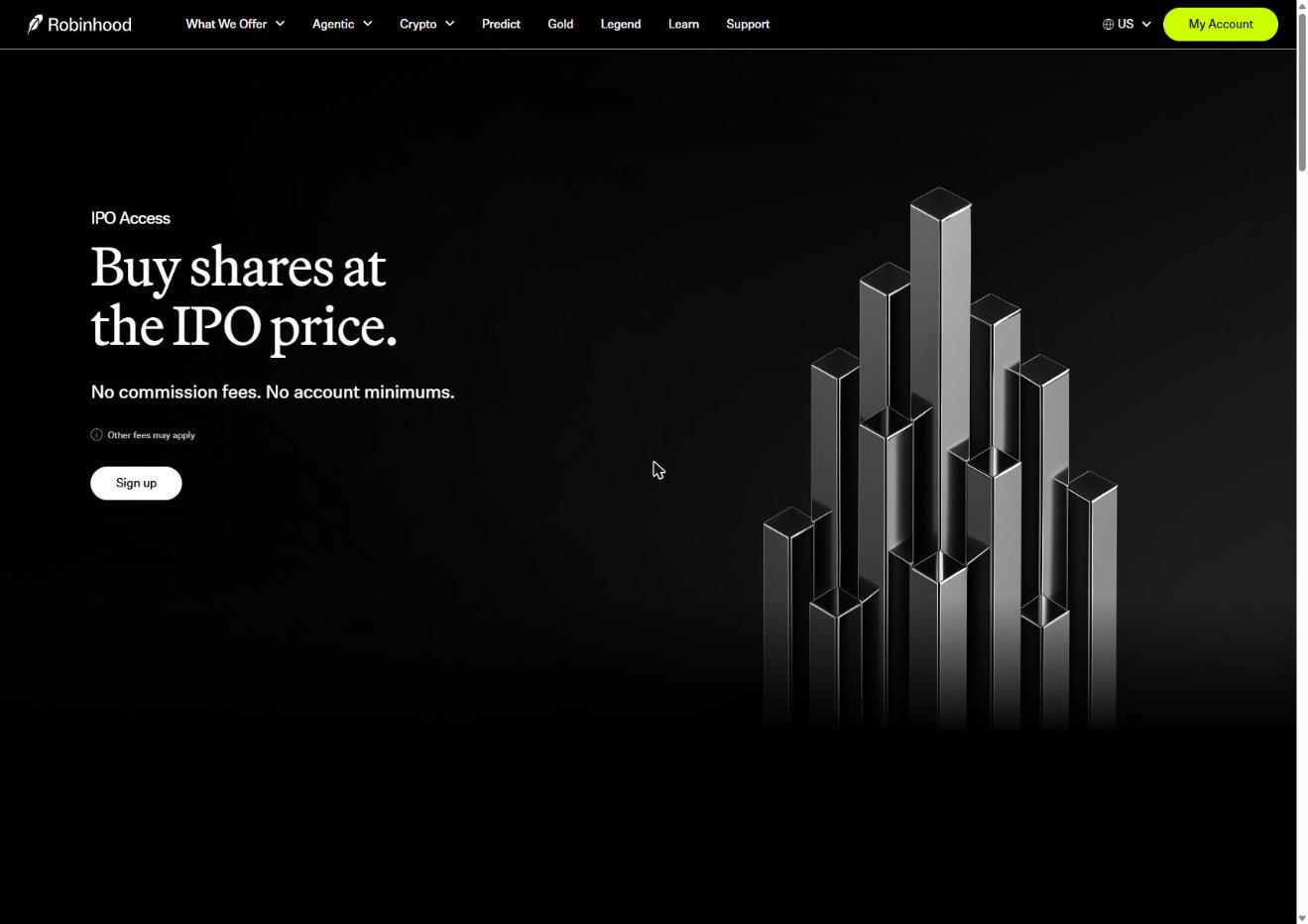
- IPO Access offers shares in some IPOs at the IPO price, per Robinhood’s IPO Access page.
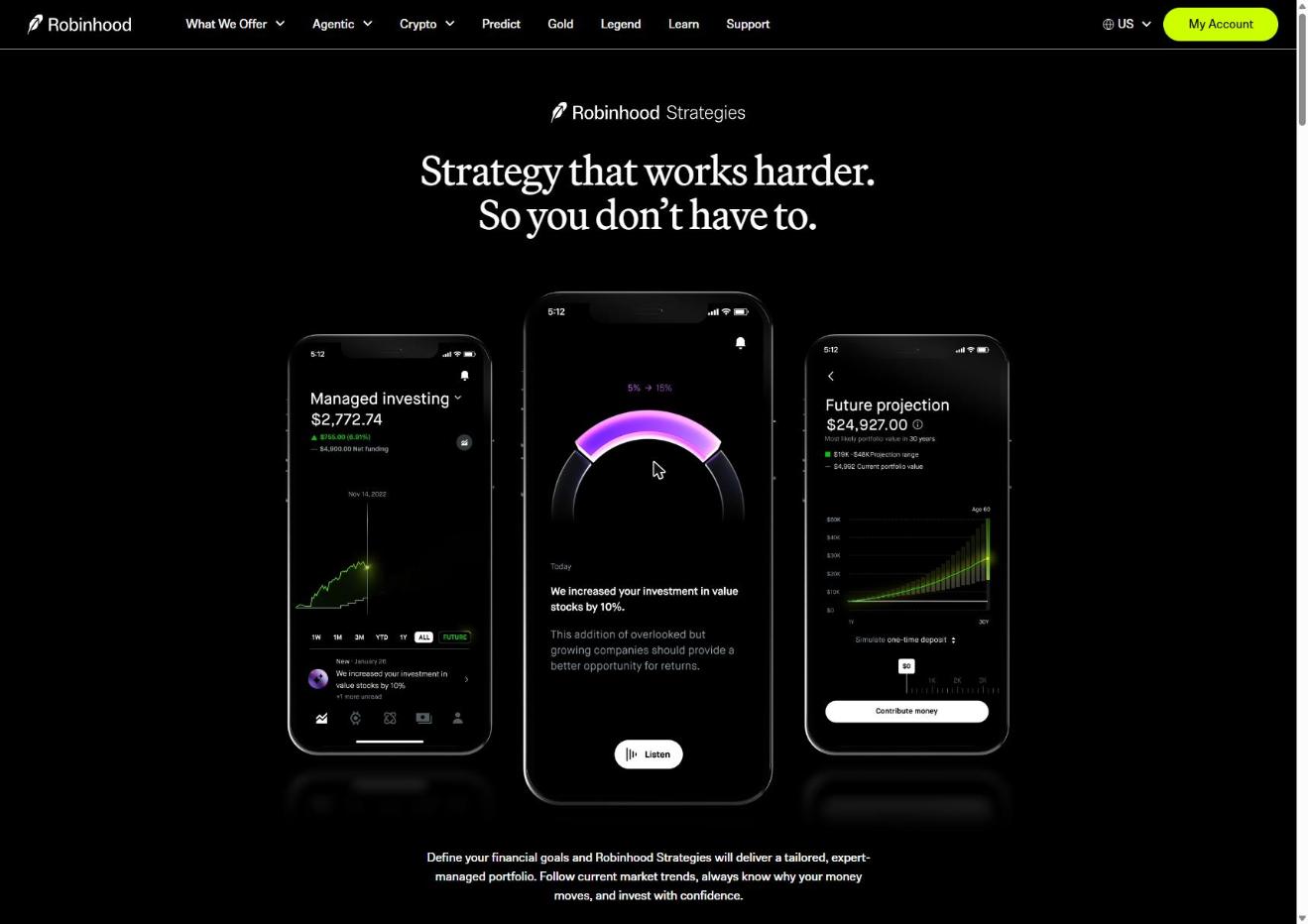
- Robinhood Strategies is its managed portfolio service, run by an SEC-registered investment advisor, if you’d rather not pick stocks yourself.
Risks to know before your first trade
- You can lose money. Stocks bought through Robinhood aren’t FDIC insured and can lose value, including what you put in.
- Extended-hours trading is riskier. Robinhood warns of more price swings and lower trading volume outside regular hours.
- Limit orders can miss. If the price never reaches your limit, nothing gets bought.
- Market orders can fill at a different price than the one on your screen.
- The gift stock has strings. You can’t withdraw its cash value for 60 days.
What I like, and what to watch
What I like
- The buy screen asks for dollars first, which is easier for a first trade
- Fractional shares from $1
- The order type is chosen for you based on the time of day
- Every stock page has key statistics and news in one place
What to watch
- The default order type changes with the clock, so check it before you submit
- Fractional shares don’t work on OTC stocks
- The gift stock is $5 for about 99% of new customers
If you’re ready to make your first trade, open and fund your Robinhood account, then follow the steps above.
Open and Fund a Robinhood Account to Buy Your First Stock
Open the stock’s detail page, tap Trade and then Buy, enter an amount in dollars or shares, review the order and swipe up to submit. Your account needs to be funded first.
Yes. Robinhood offers fractional shares on stocks listed on exchanges like the Nasdaq and NYSE, with a minimum of $1. They aren’t available on OTC stocks.
During extended hours (7 to 9:30 AM and 4 to 8 PM ET), buy orders go in as limit orders. Outside those hours, orders are queued for the next open, unless the stock trades in Robinhood’s 24 Hour Market.
New customers get a gift stock worth $5 to $200 once they’re approved and link a bank account or debit card. About 99% get $5 (as of October 26, 2026).