If you want an app to cancel subscriptions, the one I’ve tested is Rocket Money. It does two jobs: it finds the subscriptions you’re paying for, and on Premium its team will cancel the ones you don’t want.
I linked my accounts to see what it would turn up. With only a checking account connected, it found nothing. Once I added a credit card, it listed five subscriptions within minutes, about $726 a year, and one of them was Uber One. I’d forgotten I was paying for it.
An app only handles the canceling. Knowing what a company owes you when you sign up or quit is still on you, and the FTC’s guide to getting out of free trials, auto-renewals and subscriptions covers it in a few minutes.
In this article, I’ll show you how Rocket Money found my subscriptions, what canceling looks like inside the app, what it costs, and how to cancel on your phone without any app at all.

Rocket Money finds the subscriptions you forgot you're paying for and cancels them with one tap, no calls or hold music. It'll also negotiate your phone, internet, and insurance bills down, and you only pay a fee if it actually lowers your bill. Bank-level AES-256 encryption and read-only connections keep your data safe. Try Premium free for 7 days, cancel anytime.
- See all your accounts and finances in one place
- Cancel unwanted subscriptions and lower your bills
- Build budgets and automate your savings
- Track net worth, credit score, and savings goals
Find the Subscriptions You Forgot You Were Paying For
How Rocket Money finds your subscriptions
Rocket Money reads the charges on the accounts you link and pulls out the ones that repeat. That’s why my checking account showed nothing on its own: my subscriptions all bill to a card. The checking account only showed the payments I make to that card.
Linking the card is what made the list appear. It showed Apple App Store, Disney Plus, Spotify, Uber One and Walmart+.
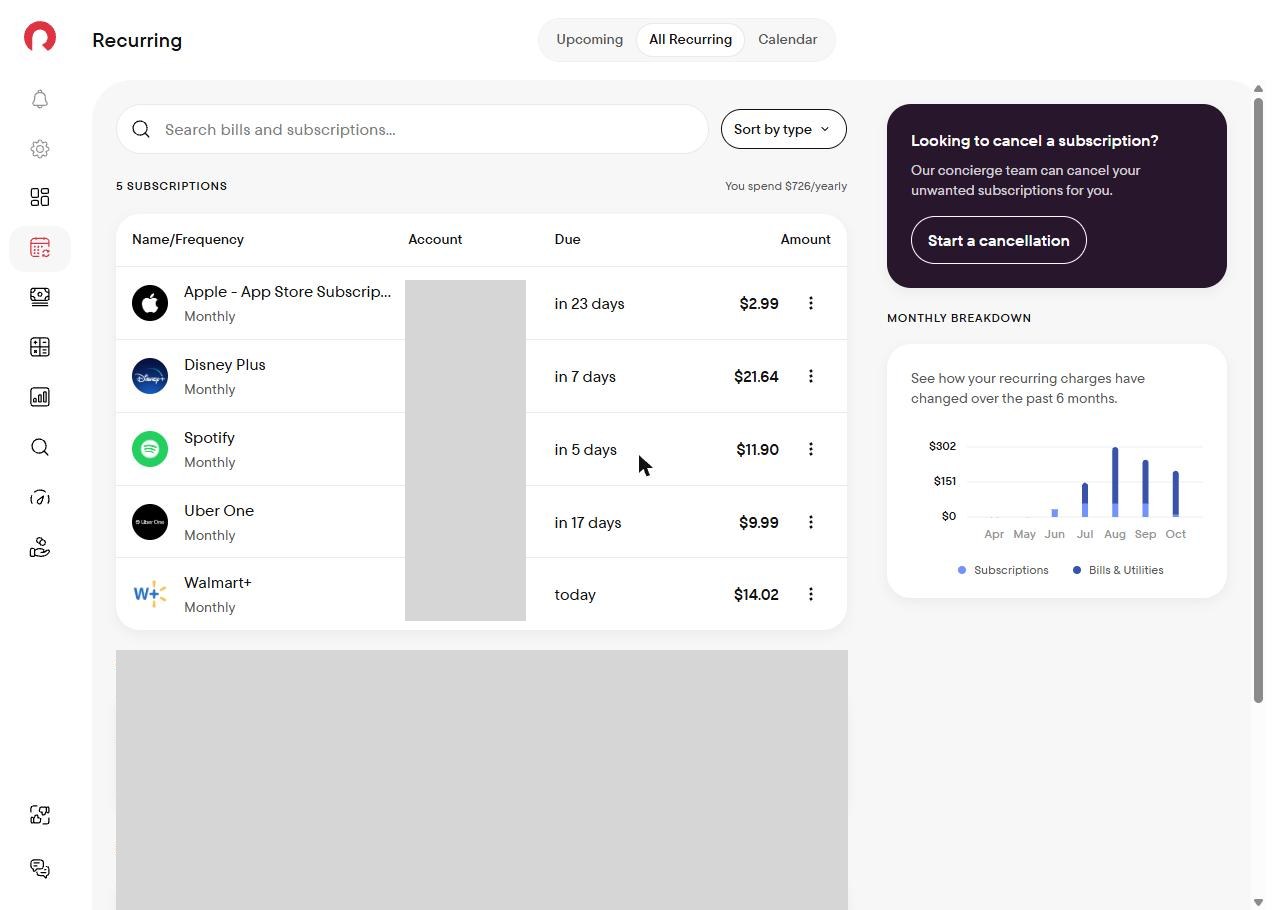
The phone app goes a step further. Two days later its Recurring tab showed six charges, because it also counted an annual fee on one of my credit cards. It has an Upcoming view with the charges due in the next seven days, and a calendar of every recurring charge in the month.
What canceling looks like in the app
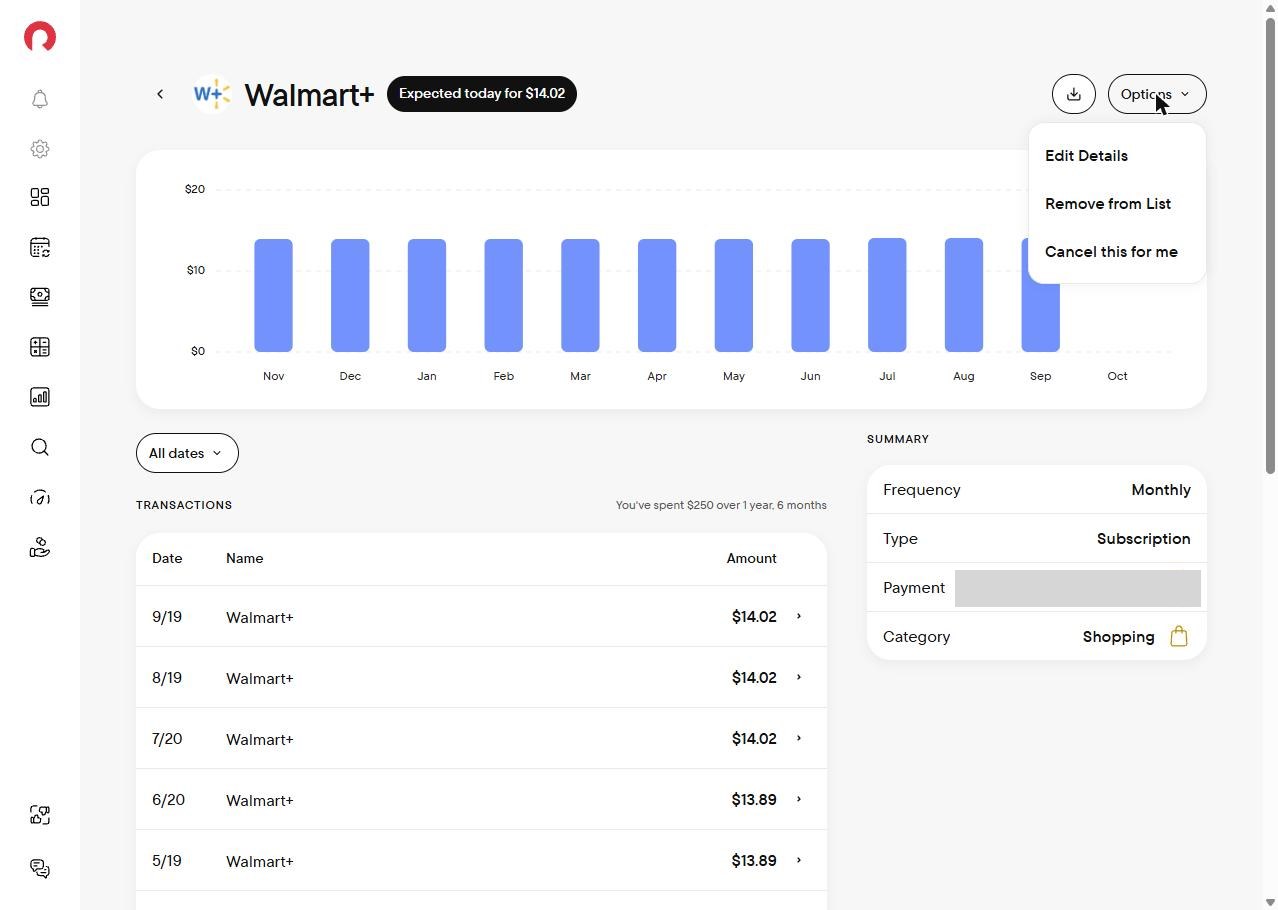
Open any subscription and the Options menu gives you three choices: Cancel this for me, Edit Details and Remove from List.
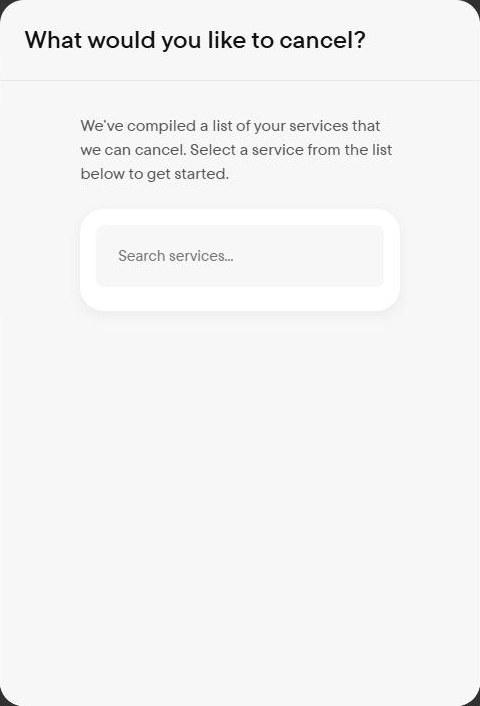
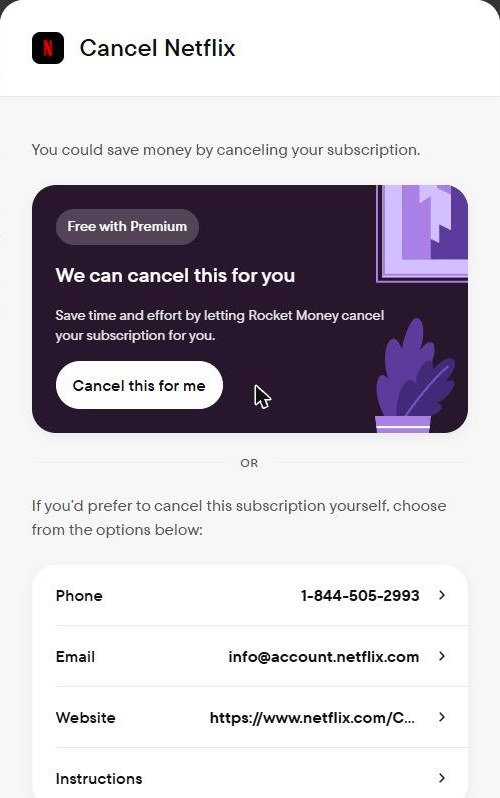
Start a cancellation and Rocket Money opens a search of the services it can cancel. Each service has its own page. I opened Netflix’s: you can have Rocket Money’s team cancel it for you, or do it yourself with the phone number, email, website and step-by-step instructions it lists.
I didn’t cancel anything. I use all five, so I kept them. The option is there when I need it.
Having Rocket Money’s team cancel for you is a Premium feature. The free plan shows your subscriptions but doesn’t include cancellation help.
The price increase I missed
Canceling isn’t the only reason to look. When I opened Walmart+, Rocket Money showed every charge going back about 18 months, about $250 in all. It also showed the price had gone up from $13.89 to $14.02. I hadn’t noticed.
See Every Recurring Charge on Your Cards in One List
What Rocket Money costs
There are three plans. Prices are from Rocket Money’s own pricing page as of October 22, 2026.
| Plan | Price | Cancels subscriptions for you | Bill negotiation |
|---|---|---|---|
| Free | $0 | No (lists them only) | Success fee on savings |
| Premium | Pay what you think is fair, typically $7 to $14 a month | Yes | Success fee on savings |
| Premium+ | $15 a month | Yes | No added fee |
If all you want is the list, the free plan does that. You need Premium for the part this article is about: having someone else do the canceling.
How to cancel subscriptions without an app
You don’t need an app for subscriptions you pay through your phone’s app store. Both Apple and Google let you cancel them in a few steps.
On an iPhone
- Open Settings and tap your name.
- Tap Subscriptions.
- Tap the subscription, then Cancel Subscription. You may need to scroll down to find it.
On Android
- Go to your subscriptions in Google Play.
- Next to the subscription, choose Manage.
- Choose Cancel subscription and confirm.
Deleting an app doesn’t cancel its subscription. Google says so plainly, and the charges keep coming until you cancel.
Those lists only cover what you bought through the app store. Streaming services, memberships and anything you signed up for on a website bill your card directly, and they won’t show up there. That’s the part Rocket Money finds.
Is it safe to link your accounts?
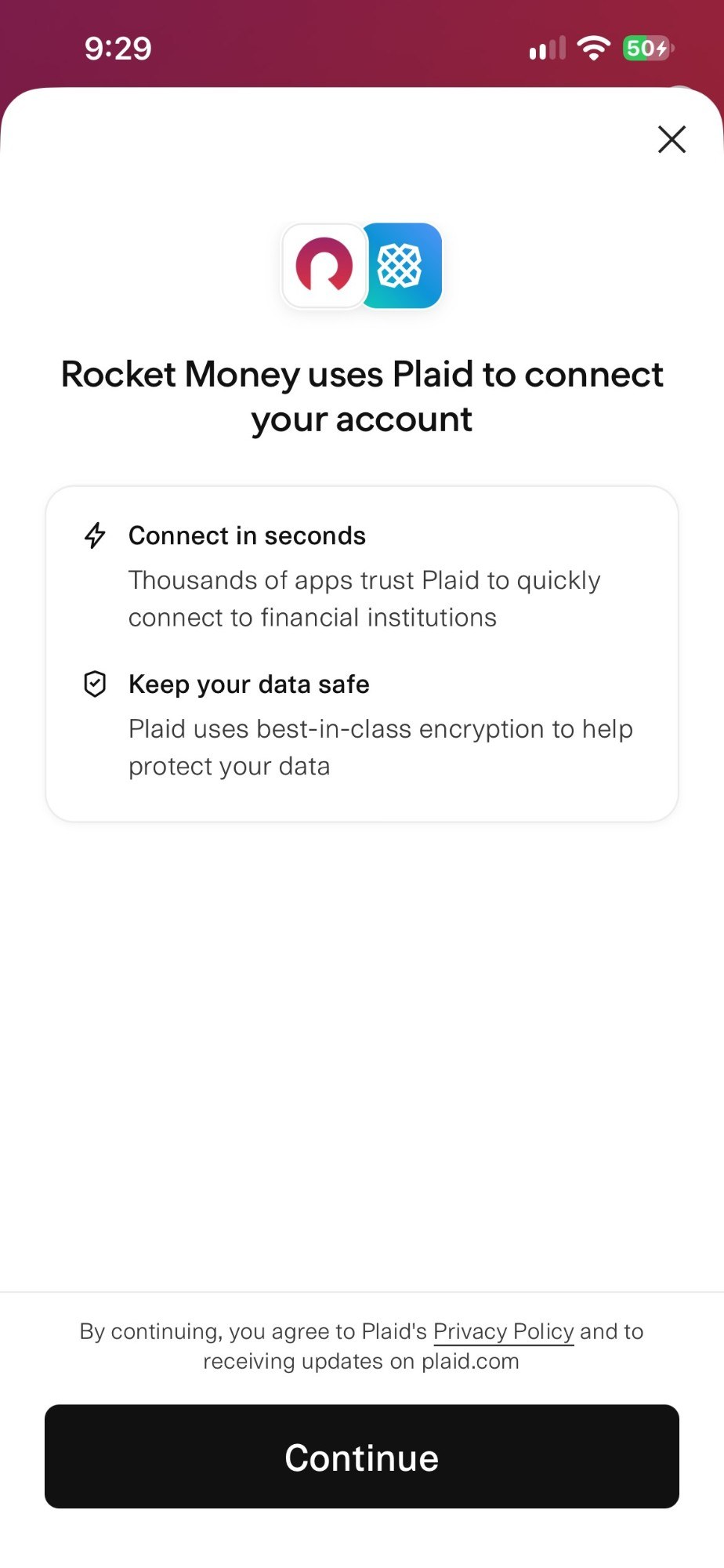
Connecting an account runs through Plaid. Rocket Money showed me Plaid’s consent screen, then sent me to my bank’s own site to log in. Linking didn’t move any money, and my balances stayed at the bank.
Should you use an app to cancel subscriptions?
If your subscriptions are all on your phone, cancel them in Settings or Google Play and save the money. If they’re spread across cards and websites like mine were, an app that finds them is the faster way, and Rocket Money found mine in minutes. Start with the free plan to see the list. Move to Premium when you want its team to handle the cancellations.
Try Rocket Money Premium and Let Its Team Cancel for You
FAQs
Yes. Rocket Money Premium includes cancellation help: you open a subscription, choose Cancel this for me, and its team handles it. The free plan lists your subscriptions but doesn’t cancel them.
No. Finding and listing your subscriptions is free. Having Rocket Money’s team cancel them is part of Premium, which is pay what you think is fair, typically $7 to $14 a month.
Yes, for anything billed through the App Store: open Settings, tap your name, then Subscriptions. Subscriptions you pay with a card on a company’s website won’t appear there.
No. Google Play says uninstalling an app doesn’t cancel its subscription, and the charges continue until you cancel it.