Managing your money shouldn’t feel like a security gamble. Yet every time you connect a financial app to your bank account, that question lingers: is this actually safe?
Rocket Money has become one of the most popular personal finance tools in the United States, promising to help you cancel subscriptions, negotiate bills, and track your spending habits. But with millions of users trusting it with their financial information, the stakes are high.
This guide breaks down exactly what “safe” means when it comes to Rocket Money, covering everything from encryption standards to privacy practices, real user experiences, and the risks that don’t show up on a security page.

Rocket Money finds the subscriptions you forgot you're paying for and cancels them with one tap, no calls or hold music. It'll also negotiate your phone, internet, and insurance bills down, and you only pay a fee if it actually lowers your bill. Bank-level AES-256 encryption and read-only connections keep your data safe. Try Premium free for 7 days, cancel anytime.
- See all your accounts and finances in one place
- Cancel unwanted subscriptions and lower your bills
- Build budgets and automate your savings
- Track net worth, credit score, and savings goals
Quick Answer: Is Rocket Money Safe to Use?
For most users, Rocket Money is generally safe to use, but it’s not risk-free. The app employs industry-standard security measures comparable to major banking institutions, though concerns around privacy practices and third-party data sharing remain valid for some users.
Bottom line up front: yes, it’s safe for most users.
Start your free 7-day Premium trial
Rocket Money uses bank-level AES-256 encryption for secure online data storage and data transmission. When you connect your bank account, the app doesn’t actually store your login credentials. Instead, it relies on Plaid, a third-party service that generates an encrypted token to facilitate read-only access to your transaction data.
If you use Rocket Money’s smart savings account feature, your funds are held at FDIC-insured partner banks. As of 2026, this means deposits are protected up to $250,000 per depositor, per institution, the standard federal limit that applies to traditional banks.
That said, no money app can guarantee 100% security. Data breaches happen even to the most protected companies, and account misuse is always possible with any online financial service. When asking “is rocket money safe,” you’re really asking two separate questions:
- Data and bank-account security: How well does Rocket Money protect your financial data from hackers and unauthorized access?
- Financial risk from features: Could the bill negotiation service fees, automatic savings transfers, or hands-off money management lead to unexpected costs?
Who Rocket Money is likely safe enough for: Typical U.S. consumers already comfortable connecting bank accounts to apps like Venmo, PayPal, or other budgeting tools. If you’ve used Plaid-based services before without issue, Rocket Money follows the same security model.
Who should think twice: Very privacy-sensitive users uncomfortable with any third-party seeing their banking data, or those unfamiliar with how financial aggregators work. If you’d rather track spending manually than share transaction data, this may not be the right fit.
The bottom line: for most people, yes. Rocket Money uses the same bank-level security as the apps you already trust, connects to your bank read-only, and lets you unlink anytime. If that puts you at ease, the free plan costs nothing and Premium comes with a 7-day free trial.
Is Rocket Money Free and Safe?
Both. The free plan is genuinely usable: see all your accounts, track spending, and spot recurring subscriptions, at no cost, with the same security as Premium. Premium ($7–$14/month, pay what you think is fair) adds subscription cancellation, unlimited budgets, net worth tracking, and full credit report access, with a 7-day free trial. There is now a third tier as well: Premium+ at $15/month, which adds Rowan, an AI assistant you text, and bill negotiation with no success fee.
Before you sign up, two honest heads-ups:
- The Premium free trial requires a card up front. Set a reminder if you only want to test it for 7 days.
- Bill negotiation charges a success fee of 35–60% of your first year’s savings. It’s optional and you only pay if they save you money, but know it’s there.
None of this makes the app unsafe; it just makes you an informed user. That’s the whole point.
Reassured and ready to try it? Start with Rocket Money’s free plan or 7-day Premium trial
 | Rocket Money Free | Rocket Money Premium |
|---|---|---|
| Overall Rating: | ⭐⭐⭐ | ⭐⭐⭐⭐⭐ |
| Price: | $0 | $7–$14/month (your choice) |
| Biggest Benefit: | See all your finances in one place. Use the app or your desktop. | Simplified subscription cancellations, unlimited budgets, net worth tracking, and automated savings tools. App or desktop. |
| Current Promotion: | No cost, no trial needed | 7-DAY FREE TRIAL for new users |
The table above covers the free plan and Premium. Rocket Money added a third tier in 2026, Premium+ at $15 a month, which includes everything in Premium plus Rowan, an AI assistant you text, and bill negotiation with no success fee.
What Is Rocket Money and How Does It Work?
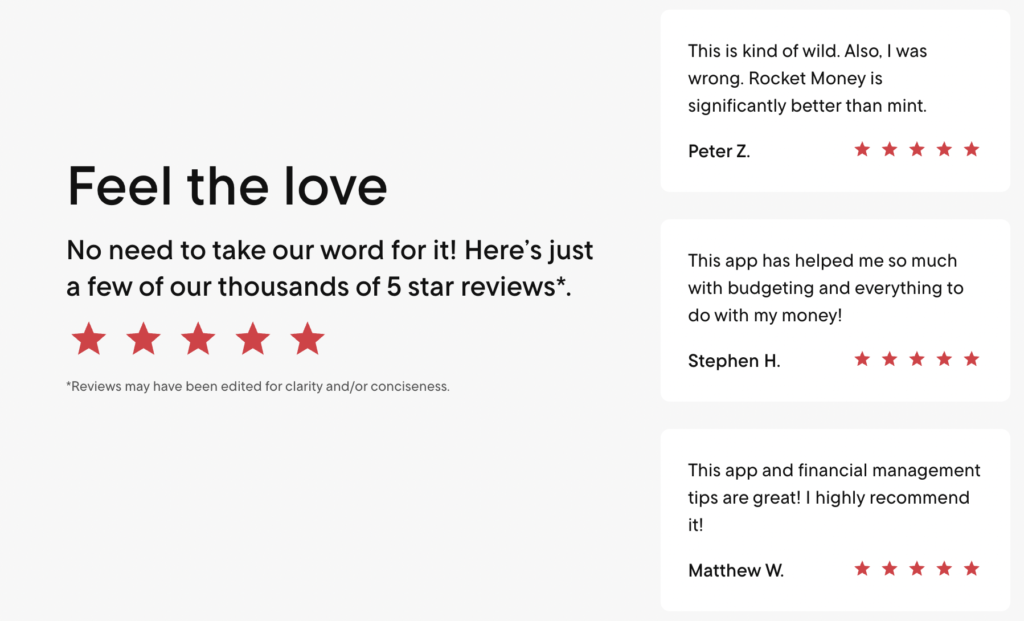
Rocket Money is a U.S. personal finance app designed to consolidate your money management in one place. Its core focus is budgeting, subscription tracking, and bill negotiation, tools aimed at helping users save money without spending hours on spreadsheets.
The app has an interesting history. It started as Truebill, founded in 2015, before being acquired by Rocket Companies in late 2021. The rebranding to Rocket Money came in 2022, making it part of the broader Rocket ecosystem that includes Rocket Mortgage and other financial services. This corporate backing from a publicly traded company adds a layer of regulatory scrutiny you won’t find with smaller startups.
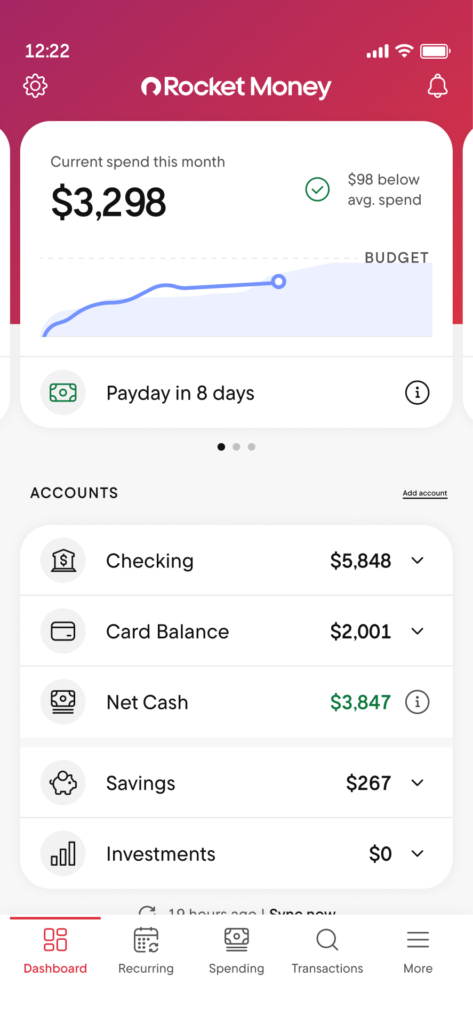
Here’s how Rocket Money works in practice: you connect your checking, savings, credit card, and sometimes investment accounts via Plaid. Once linked, the app automatically syncs your transactions and begins categorizing your spending.
Core features include:
- Budgeting tools that let you create unlimited budgets and track spending categories
- Subscription detection and one-tap cancellation for unwanted subscriptions
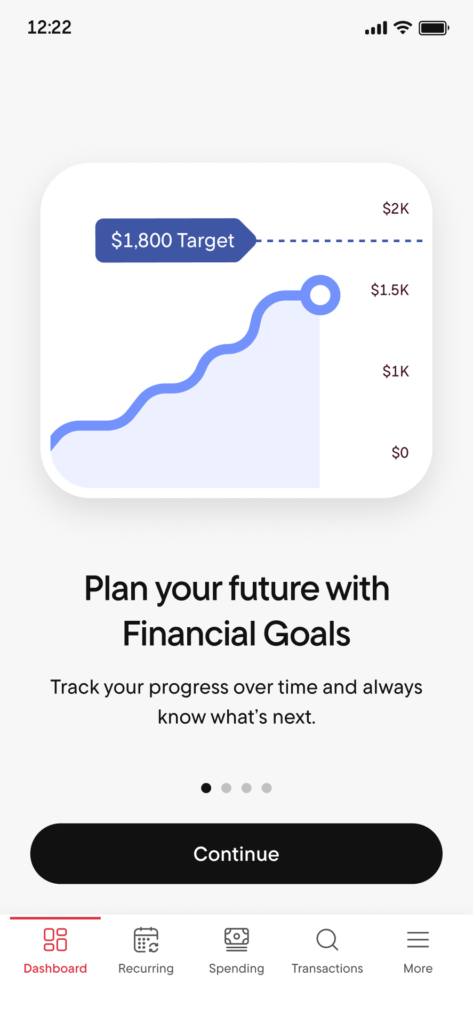
- A financial goals tool for automatic savings transfers
- Credit score tracking
- Bill negotiation to lower recurring expenses
- Net worth tracking across all your financial accounts
The app is available on iOS, Android, and via a web dashboard. Sign-in uses email and password, and you can enable biometric authentication (Face ID or fingerprint) depending on your device.
For Rocket Money to function, you must grant read-only access to your transactions through your financial institutions. This is central to both the app’s convenience and the safety concerns we’ll address throughout this article.
Is Rocket Money Legit, or a Scam?
Rocket Money is a legitimate company, not a scam. It launched as Truebill in 2015, was acquired by Rocket Companies, the publicly traded parent of Rocket Mortgage, in 2021, and rebranded to Rocket Money in 2022. Being part of a public, regulated company means more oversight than a small startup. With 10M+ users, the complaints you’ll find online are mostly about the bill-negotiation fee and the trial-to-paid flow (see below), not security or fraud.
Rocket Money Security: How Your Data and Accounts Are Protected
Rocket Money’s security model follows the same playbook as other top U.S. finance apps like Monarch Money, YNAB, and the former Mint. If you’ve trusted any of these platforms, Rocket Money operates on similar principles.
As of 2026, Rocket Money publicly states it uses AES-256 encryption, the same standard used by banks and government agencies, for data both in transit (when moving between your device and their servers via HTTPS/TLS) and at rest (when stored on their systems).
These security practices are documented on Rocket Money’s official security and privacy pages. Since policies can change, it’s worth confirming current details directly on their site before signing up. They also provide contact options like security@rocketmoney.com for inquiries, which suggests a level of transparency not all apps offer.
The app’s ownership structure matters here too. Rocket Companies is a publicly traded financial-services group subject to U.S. regulations and audits. This raises the bar for security and compliance expectations compared to a small, privately-held startup that answers to no one but its investors.
What Rocket Money can and cannot do with your accounts:
Rocket Money can see your transaction data, account balances, and spending patterns. However, it does not have permission to move money out of your linked bank accounts without explicit user action. The only exception is if you specifically set up Financial Goals transfers, which require your authorization.
Passwords are never stored in plain text. They’re encrypted and hashed following common industry standards, meaning even Rocket Money employees can’t see them in a readable format.
Key protections at a glance:
- AES-256 encryption for data storage and transmission
- Segregated access tokens (Plaid handles credentials, not Rocket Money)
- Read-only permissions for bank connections
- Internal access controls limiting employee data visibility
- Hosting on Amazon Web Services (AWS), which serves high-security clients including the Department of Defense, NASA, and the Financial Industry Regulatory Authority
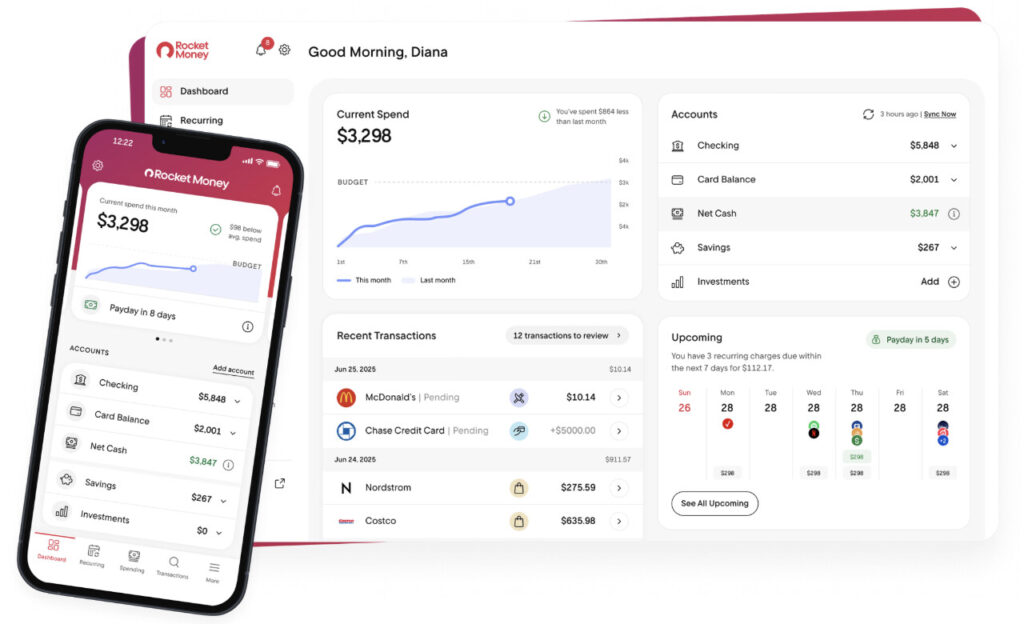
Over 10 million users trust Rocket Money to manage subscriptions, track spending, and cancel unused subscriptions.
What are you waiting for? Start saving money today!
Is Rocket Money Safe to Link to Your Bank Account?
Yes, and the key point is that Rocket Money never sees or stores your bank login. It connects through Plaid, the same secure aggregator used by thousands of finance apps, which creates an encrypted, read-only token. The app can see your transactions to categorize them, but it can’t move money out of your linked checking or credit card accounts. You can unlink any account at any time.
Is Rocket Money Safe From Hackers?
No app can promise it will never be breached, but Rocket Money uses the protections you’d expect from a bank: AES-256 encryption for your data both in transit and at rest, secure HTTPS connections, and optional multi-factor authentication (turn it on). As of 2026 it has no reported major data breaches. The single best thing you can do on your end is enable MFA and use a strong, unique password.
Does Rocket Money Sell Your Data?
Short answer: Rocket Money says it does not sell your personal data, and it doesn’t sell your identifiable information to advertisers. In their own words, “Rocket Money uses the best encryption in the business to keep your data safe, and we never sell your data.” But “doesn’t sell” isn’t the same as “doesn’t share.” Like most budgeting apps, Rocket Money shares some data with partners to run the service: Plaid to connect your bank, plus providers that handle bill negotiation and savings. It also uses your data to market relevant offers. It may also share aggregated, de-identified data with partners.
Privacy advocates have questioned how absolute the company’s “we never sell your data” promise really is. For most users, this is standard for the category; if your personal bar is “no third party ever touches my spending data,” that rules out nearly every bank-linked app, not just this one.
You can read the specifics on Rocket Money’s privacy policy and security page before you decide.
How Bank Connections Work: Plaid and Read-Only Access
One of the most common concerns about Rocket Money centers on bank connections. Here’s the important distinction: Rocket Money does not directly handle your bank username and password. Instead, it uses Plaid, a third-party financial data aggregator.
Plaid is a widely used service that connects apps to over 12,000 U.S. financial institutions. You’ve likely encountered it before if you’ve used Venmo, Chime, Robinhood, or dozens of other financial apps. It’s become the industry standard for secure account linking.
Here’s how the connection flow works:
- When you add a bank account in Rocket Money, you’re redirected to a Plaid authentication window
- You enter your bank credentials directly into Plaid’s interface, not Rocket Money’s
- Your bank authenticates the login
- Plaid generates encrypted tokens
- Rocket Money receives only the access token and your transaction data, never your actual login credentials
This connection is designed to be read-only. Rocket Money can pull transaction histories, account names, and balances, but it cannot initiate withdrawals or transfers directly from your external accounts. The only money movement happens through features you explicitly enable, like automatic savings transfers.
You retain full control over these connections. To revoke access:
- Disconnect the institution inside the Rocket Money app
- For maximum control, also remove the connection in your bank’s own security or “connected third-party apps” page
A note for privacy-sensitive readers: If you’re uncomfortable with any third-party seeing your banking data, even through a read-only connection, you may prefer a manual-entry budgeting app that doesn’t use Plaid or similar aggregators at all. Apps like YNAB offer manual tracking modes that don’t require bank linking.
Is Your Money Itself Safe? FDIC Insurance and Savings
There’s an important distinction between “data safety” (protecting your information from hackers) and “deposit safety” (protecting the actual cash you might hold through Rocket Money’s features).
When you use Rocket Money’s Financial Goals or smart savings account feature, your funds aren’t sitting on Rocket Money’s servers. Instead, they’re placed at one or more FDIC-insured U.S. partner banks. As of 2026, this means deposits are typically insured up to $250,000 per depositor, per institution, the same protection you’d get at a traditional bank.
Rocket Money itself is not a bank. It partners with regulated financial institutions to hold customer funds. This is similar to how apps like Cash App or Chime operate. They provide the interface while actual banking services happen behind the scenes at chartered banks.
What FDIC insurance does and doesn’t cover:
| Covered by FDIC | Not Covered by FDIC |
| Bank failure (your deposits protected) | Investment losses |
| Insolvency of the partner bank | Fraud on your external accounts |
| Up to $250,000 per depositor, per institution | High service fees from Rocket Money |
| Savings held in partner bank accounts | Disputes over bill negotiation charges |
Quick deposit safety recap:
- FDIC insurance applies to funds in Rocket Money’s savings features
- Coverage limit: $250,000 per depositor, per institution (standard federal limit)
- You can check which specific partner bank currently holds your funds in the app’s settings or help documentation
Privacy: What Rocket Money Can See and How It Uses Your Data
To deliver budgeting insights and spending categories, Rocket Money must analyze detailed transaction data from your linked accounts. Understanding exactly what they can see, and what they do with it, is crucial for informed consent.
Types of information typically visible to Rocket Money:
- Account balances across all linked financial accounts
- Transaction dates, amounts, and merchant names
- Recurring payment patterns (identifying subscriptions)
- Spending patterns across top spending categories
- Investment accounts balances (if linked)
Rocket Money uses this data to categorize spending, identify unwanted subscriptions, suggest budgets based on your spending habits, and surface potential bill negotiation opportunities. This is the core value proposition: automated spending insights that would take hours to compile manually.
Here’s where it gets more complicated: as part of Rocket Companies, Rocket Money may share some data within the corporate family. This could include Rocket Mortgage or other Rocket brands, subject to their privacy policy. If you’re considering the app, read that policy carefully before linking all your financial information.
Anonymized or aggregated data may be used for analytics and product improvement, a common practice across the tech industry. However, personally identifiable financial details are governed by privacy commitments and applicable laws like the Fair Credit Reporting Act.
A note on targeted offers: Users may receive product suggestions based on their financial profile: things like mortgage refinancing options, credit products, or savings tools. Some users find this helpful; others find it intrusive. It’s not inherently unsafe from a security standpoint, but it’s worth knowing that your data informs these recommendations.
The December 2022 complaint filed by the Electronic Privacy Information Center (EPIC) with the Consumer Financial Protection Bureau raised concerns about Rocket Money’s data practices, including allegations of using “dark patterns” in marketing and sharing data with third parties. While no enforcement action has been publicly announced, privacy-conscious users should factor this into their decision.
Risks and Drawbacks: Where “Safe” Gets Complicated
While Rocket Money’s technical security measures are generally solid, “safe” encompasses more than just encryption. Understanding other kinds of risk is essential before you link your bank account.
Bill negotiation fees can add up
Bill negotiation is available to every Rocket Money user, free or Premium, and it comes with costs that catch some users off guard. Rocket Money charges a success fee of 35–60% of the first year’s savings when they successfully negotiate a lower rate on your bills, and only if the negotiation succeeds.
Here’s what that looks like in practice:
| Annual Savings Achieved | Rocket Money’s Fee (at 40%) |
| $100 | $40 |
| $300 | $120 |
| $500 | $200 |
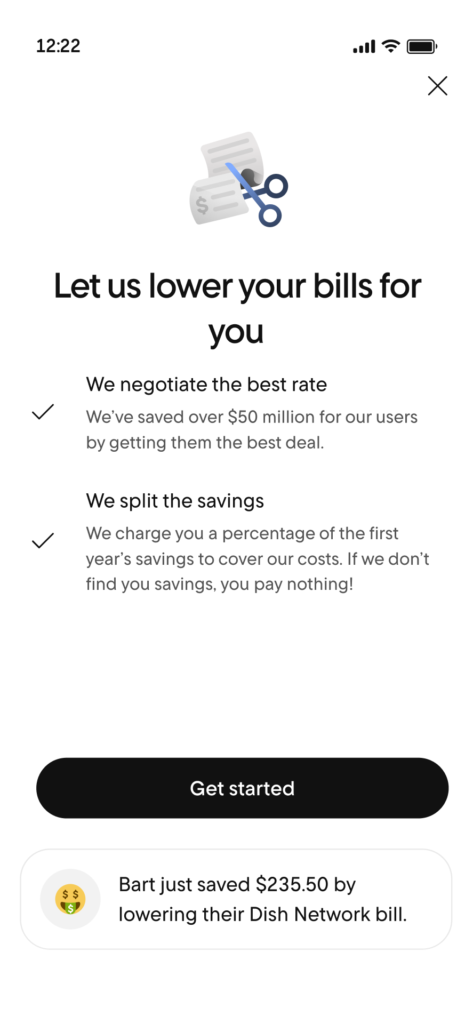
This isn’t a security risk, but it’s a financial risk if you don’t read the fee disclosures carefully. Some users report surprise charges or confusion about exactly when the bill negotiation service activates. Take screenshots before authorizing any negotiations, and review the terms of any premium membership you’re considering.
The “hands-off” danger
Over-relying on automatic tools can make people less engaged with their actual budget. When you set everything to autopilot, with automatic savings transfers, automatic subscription tracking and unlimited budgets you never review, you might miss important changes in your financial health. This is a behavioral risk, not a cybersecurity risk, but it’s real.
Data-sharing with a large financial group
For users who prefer strict data minimization, sharing transaction data with a company connected to Rocket Mortgage and other financial services may feel like a privacy drawback. Even if the data stays within the corporate family, it’s still more exposure than a standalone, privacy-focused app would require.
No platform is immune to attacks
As of 2026, there are no widely reported major data breaches involving Rocket Money. That’s a positive signal. However, any online platform can be targeted by attackers, and past security is no guarantee of future safety. Users should assume non-zero risk and act accordingly: strong passwords, two-factor authentication, and regular account monitoring.
Join over 10 million users who trust Rocket Money to track spending and cancel subscriptions automatically. Upgrade to Premium to maximize your savings.
User Reviews, Reputation, and Real-World Experience
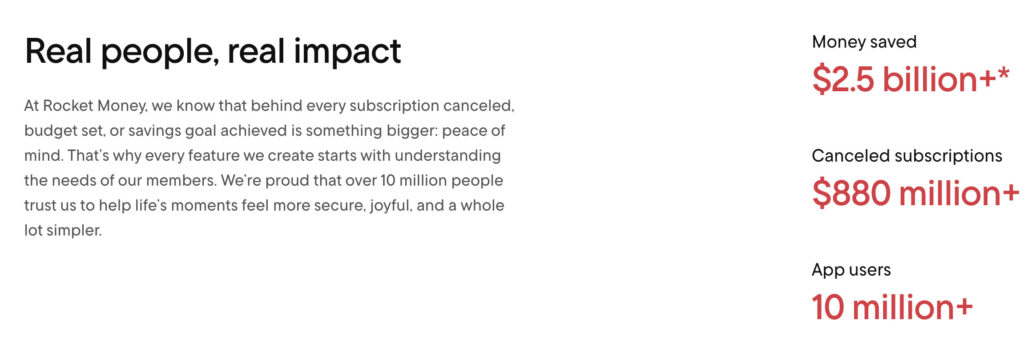
App store ratings provide a practical, ground-level view of how safe and reliable the app feels for actual users. While not a substitute for security audits, millions of reviews offer insights that technical documentation doesn’t capture.
Rocket Money typically holds ratings in the low-to-mid 4-star range. The Apple App Store rating hovers around 4.3-4.6 stars, with similar or slightly lower scores on Google Play. These are solid ratings for a finance app, though not exceptional.
What positive reviews highlight:
- Clean, intuitive interface
- Easy subscription tracking and the ability to cancel subscriptions quickly
- Helpful bill reminders and spending insights
- Consolidated view of net worth across accounts
- Actual money saved through the bill negotiation tool
Common complaints include:
- Confusion about bill negotiation fees (users expecting free service)
- Difficulty canceling the premium version subscription
- Occasional syncing glitches with specific banks
- Concerns over upselling and marketing emails
- Account syncing issues after bank security updates
High ratings don’t prove perfect security, but a multi-year track record with millions of users and no widely reported catastrophic breach is a positive signal. The app has been around since 2015 (as Truebill), giving it more runway than newer competitors.
A practical tip: Before linking your financial accounts, read recent 1-star and 2-star reviews specifically. These surface worst-case experiences and help you understand what could go wrong. Pay attention to patterns. If the same complaint appears repeatedly, it’s more likely to affect you.
How Rocket Money Compares to Other Budgeting Apps on Safety
Rocket Money’s security posture is broadly similar to other modern budgeting apps that use Plaid or similar aggregators. If you’re concerned about Rocket Money specifically, switching to a competitor may not actually address your underlying concerns.
Comparison of popular budgeting apps:
| App | Uses Plaid/Aggregator | Encryption | Read-Only Access | Manual Entry Option |
| Rocket Money | Yes (Plaid) | AES-256 | Yes | Limited |
| Monarch Money | Yes | AES-256 | Yes | Limited |
| YNAB | Optional | AES-256 | Yes | Full manual mode |
| Empower | Yes | AES-256 | Yes | Limited |
| Copilot | Yes (Plaid) | AES-256 | Yes | Limited |
Most competitors also require bank linking, so choosing a different app doesn’t necessarily avoid Plaid or third-party aggregators. The technology stack is remarkably similar across the industry.
Where apps actually differ:
- Business model: Some apps monetize through subscriptions only; others (like Rocket Money) also earn from bill negotiation fees and potential cross-selling within their corporate family
- Data-sharing practices: How aggressively does the company market additional financial products based on your data?
- Manual options: YNAB stands out for offering a complete manual tracking mode that doesn’t require any bank connections
If your primary concern is avoiding third-party access to your bank account entirely, pure envelope-budgeting apps with manual entry are your best option. The trade-off is significantly more effort: you’ll need to enter every transaction yourself.
Bottom line: The key differences between Rocket Money and competitors are less about encryption strength (which is standardized across the industry) and more about business model, data-sharing practices, and how aggressively each company markets additional products. Choose an app that matches both your comfort with data-sharing and your preferred budgeting style.
Practical Safety Tips When Using Rocket Money (Or Any Money App)
This section provides a practical checklist you can implement immediately, whether you’re already using Rocket Money or just considering it.
Enable all available security features:
- Use a strong, unique password (at least 12 characters, mix of letters, numbers, symbols)
- Enable biometric login (Face ID or fingerprint) if your device supports it
- Set up device-level screen locks. If someone accesses your unlocked phone, they access your financial data
Secure your email first:
Two-factor authentication on the email account associated with Rocket Money is arguably more important than the app’s own security. If attackers compromise your email, they can reset passwords for almost everything. Enable 2FA on your email and your banks directly.
Manage connected apps regularly:
- Review your bank’s “connected apps” or “authorized third-party access” settings every few months
- Revoke Rocket Money and Plaid connections if you stop using the app
- Don’t just delete the app, actually disconnect the integration
Stay informed about changes:
- Check Rocket Money’s security and privacy pages annually for updates
- Adjust settings like marketing email preferences when possible
- Review the terms of the free version versus premium features before upgrading
Monitor your accounts proactively:
- Check bank and credit card transactions weekly for unusual activity
- Set up alerts for large transactions or international charges
- Report suspicious activity directly to your bank, not to Rocket Money alone
If you’re testing the app:
Consider starting with just one account connection, perhaps a checking account with limited funds, before linking all your financial accounts. This lets you evaluate how does rocket money work in practice without maximum exposure.
See every subscription in one place, and let Rocket Money cancel the ones you don’t need. It’s one of the easiest ways to cut expenses.
Who Rocket Money Is (and Isn’t) a Good Fit For
“Safe enough” is subjective. It depends on your personal risk tolerance, tech comfort level, and what you’re trying to accomplish with a budgeting app.
Rocket Money is a good fit if you:
- Want automatic subscription tracking and alerts for recurring charges
- Are already comfortable connecting bank accounts to apps like Venmo, PayPal, or Cash App
- Understand and accept the bill negotiation fee trade-off (paying a percentage of savings)
- Value consolidated views of your net worth and spending patterns
- Prefer automation over manual tracking
- Are considering the seven day free trial to test premium features before committing
You should be cautious or look elsewhere if you:
- Are averse to any third-party seeing your banking data
- Feel overwhelmed by marketing from financial companies (Rocket Money may cross-promote other Rocket products)
- Prefer manual, spreadsheet-style control over your budget
- Have concerns about inflated savings estimates or aggressive upselling
- Want complete privacy regarding your financial information
The DIY alternative: Users who only want a clear budget and are very privacy-sensitive can recreate most of Rocket Money’s value through manual-entry apps or spreadsheets. You’ll lose the automation and subscription detection, but you’ll keep your transaction data entirely private. Tools like YNAB offer a middle ground with optional bank linking.
Ultimately, the decision should be based on your personal comfort with sharing sensitive financial data, not just on app ratings, friend recommendations, or marketing claims about how much does rocket money cost to use.
The bottom line: for most people, yes. Rocket Money uses the same bank-level security as the apps you already trust, connects to your bank read-only, and lets you unlink anytime. If that puts you at ease, the free plan costs nothing and Premium comes with a 7-day free trial.
Bottom Line: Is Rocket Money Safe Enough for You?
Rocket Money employs industry-standard security measures that put it on par with other major finance apps. AES-256 encryption, Plaid-based account linking, FDIC-insured partner banks for savings accounts, and ownership by a publicly traded company subject to regulatory oversight all contribute to a solid security foundation. With over 10 million users and no widely reported history of major breaches, the track record supports that assessment.
That said, “is Rocket Money safe” isn’t a simple yes-or-no question. While technical safeguards are strong, some people still have concerns around privacy practices. Connecting bank accounts to third-party apps is standard practice at this point. Most major banking and budgeting tools rely on the same aggregator model, but it’s still worth deciding how comfortable you are with that trade-off before you sign up.
Before you decide:
- Start with minimal account connections before linking everything, so you can evaluate the app before granting full access
- Understand that Rocket Money offers both a free plan and premium membership options with different feature sets
The Balanced Take: Rocket Money is a reasonable, modern option for people already comfortable with online banking connections. Its key features, subscription management, basic budgeting, bill negotiation and spending insights, deliver real value and real $$$ savings for users willing to link their transaction data. The more you link the more you will save.
Your financial health deserves tools that work for you. Whether that’s Rocket Money, Monarch Money, a spreadsheet, or pen and paper, the best budgeting app is the one you’ll actually use consistently, with a level of data-sharing you’re genuinely comfortable with.
FAQs
For most users, yes. Rocket Money uses read-only connections through Plaid, meaning it can view transactions and balances but cannot move money without your permission. It also uses bank-level AES-256 encryption to protect data.
No. When you connect an account, your login credentials are entered directly into Plaid’s secure interface. Rocket Money receives an encrypted access token, not your username or password.
Rocket Money itself is not a bank, but funds held in its savings or Financial Goals features are placed at FDIC-insured partner banks. As of 2026, deposits are typically insured up to $250,000 per depositor, per institution.
Not without your explicit approval. Linked accounts are read-only by default. Money transfers only occur if you enable features like automatic savings or Financial Goals.
As of early 2026, there are no reported major data breaches involving Rocket Money.
For most people, yes. It uses bank-level AES-256 encryption, connects to your bank read-only through Plaid, and never stores your login. It’s not risk-free, and no money app is, but its security matches the standard for the category.
Rocket Money says it doesn’t sell your personal data, and it doesn’t sell identifiable data to advertisers. It does share some data with partners to operate the service and market offers, which is standard for bank-linked apps.
Yes. It’s owned by Rocket Companies, the publicly traded parent of Rocket Mortgage, and has over 10 million users.
Yes, a free plan plus a paid Premium tier ($7–$14/month) with a 7-day free trial.